Findings
The work every Craft site is quietly asking for
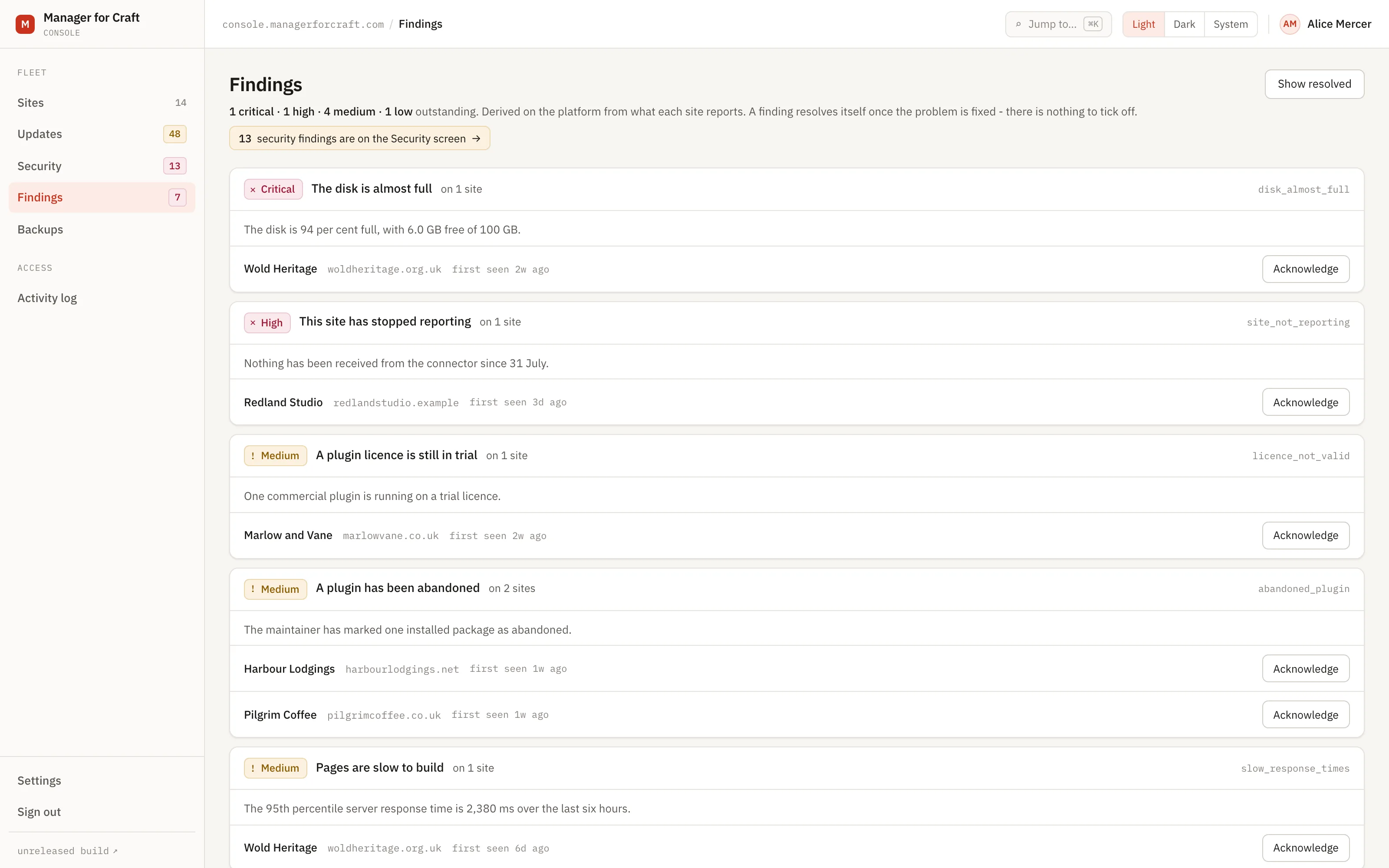
Not everything that matters is an exposure. A disk at 94 per cent, a queue that stopped draining, PHP a version past security support: work that has to happen, but that nobody outside is acting on. It gets its own screen so it cannot crowd out the things that are urgent.
Fourteen days, no card. Craft CMS 4.4 and later.
The failure that costs most is rarely dramatic
It is the disk that filled to 94 per cent three weeks ago and nobody looked. The queue that stopped draining and took the search index with it. The PHP version that went end of life while everyone was busy.
Mixed in with security findings, none of it gets read: an outstanding security release is always more urgent, so the maintenance list is permanently second and permanently ignored.
How the split works
-
Every rule declares its own category
Security is somebody's exposure. Maintenance is work that has to happen eventually. Operational is the installation complaining about itself. A finding stores the rule, not the category, so a categorisation can be corrected without a migration.
-
This screen is everything that is not exposure
Thirteen rules: five maintenance, eight operational. The sixteen security rules are on Security, and no rule appears on both.
-
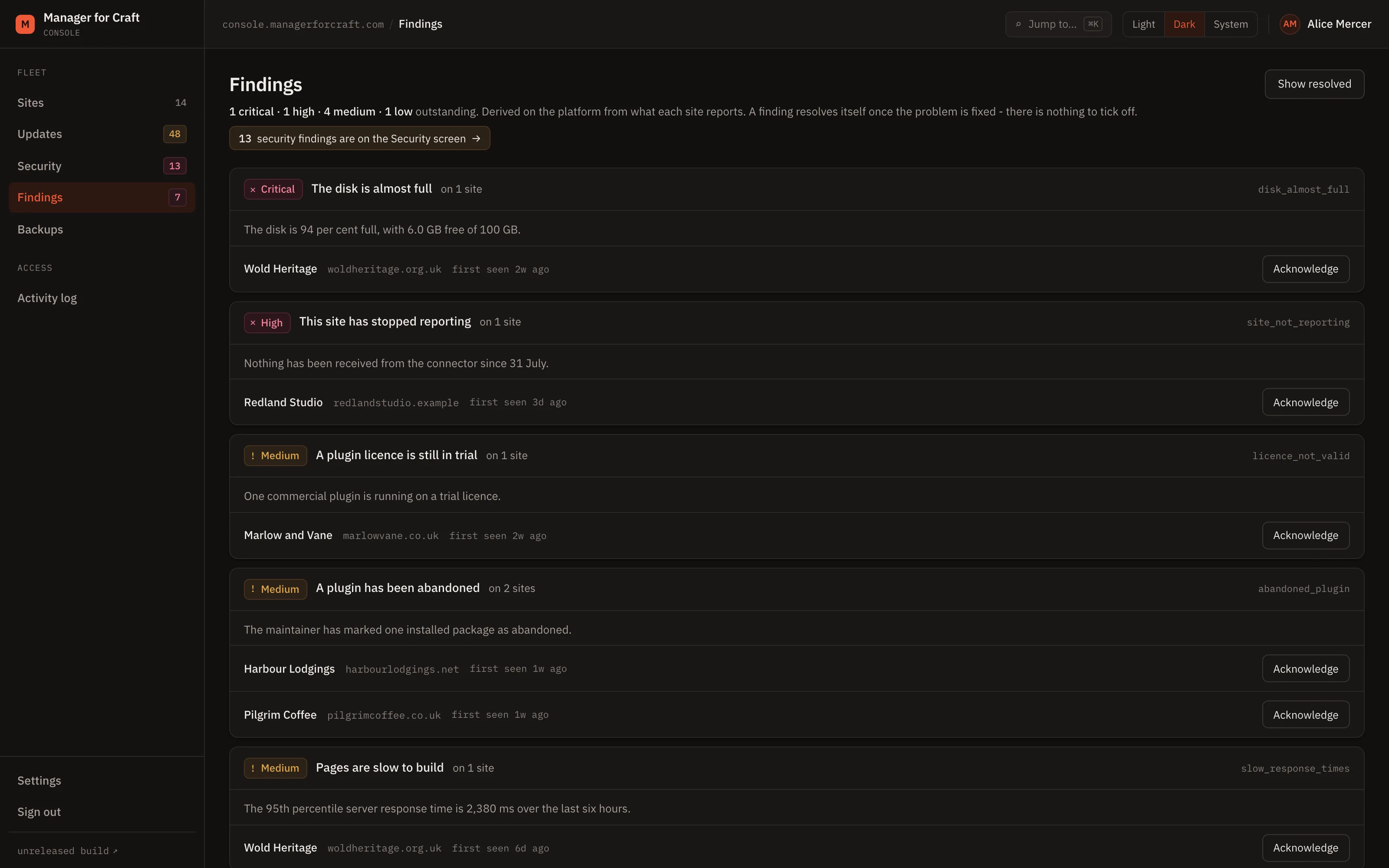
Findings group by rule, not by site
The opposite of the Security screen, deliberately. One rule affecting five sites is one row with five sites under it, because the fix is usually the same fix five times.
-
Fixing the site closes the finding
The next report that no longer matches the rule resolves it, whether anybody was watching or not.
Every rule, and what it opens
All of them run on every report, on both editions. Each one is a small readable class in the public repository, so you can check what opens a finding before you rely on it.
| Finding | Severity |
|---|---|
| Disk almost full | High, rising to critical |
| Directories not writable | High |
| Required PHP extension missing | High |
| PHP version past end of life | High |
| Site not reporting | High |
| Invalid or mismatched licence | High, medium on a trial |
| Pending migrations | Medium |
| Abandoned plugin installed | Medium |
| Slow response times | Medium |
| Long jobs cut off by the execution limit | Medium |
| Deprecated code with a breaking update waiting | Medium, otherwise low |
| Failed queue jobs | Low |
| OPcache disabled in production | Low |
A finding closes automatically when the next report no longer matches its rule.
The thirteen rules
Counts only, never contents
Queue depth and failed job count, never what is in a job. Disk figures by volume handle, never a path, a filename or a directory listing.
A rule that is deleted does not strand its findings
This screen asks for everything that is not a security rule, rather than for a list of the other two categories. A rule removed from the evaluator while its findings are still open leaves them visible here instead of open in the database and on no screen.
Severity follows the environment
The same measurement is not the same problem everywhere, and a development site does not generate production urgency.
Every rule is readable before you rely on it
Each is a small class in the public repository, so you can check what opens a finding rather than take the severity on trust.
The outcome
The maintenance list stops competing with the security list, so both get read. You find out that a disk is filling before it fills, and that a queue stopped draining before somebody reports that search is broken.
Read how it works
The documentation lives in the public repository, next to the code it describes, and every page carries a link to edit it.
Related
-
Monitoring your Craft sites for exposure
Sixteen rules for exposure alone. Findings open with a severity, and close themselves when the site is fixed.
-
Know within fifteen minutes when a site stops reporting
Heartbeats every five minutes, TLS certificate expiry, disk space, response times and queue health.
-
Craft and plugin updates across every site
See what is outstanding on every site, and which of it is a security release, without opening a single control panel.
See all your sites in about five minutes
Add a site, install the connector with Composer, paste the one-time code. The control panel updates within minutes. Fourteen days free, no card required, and nothing on your sites changes.
Craft CMS 4.4 and later